Test drive with new servo motors and additional sensors.

Showing posts with label bot. Show all posts
Showing posts with label bot. Show all posts
Wednesday, March 27, 2013


Friday, March 15, 2013
New motors
The motors was changed to servos. The step motors have big disadvantages.
- They require a lot of power (more than 1.5A)
- When step motor run at slow speed - it vibrates. And everything that connected to it vibrates. The vibration is very powerful. It can open screws.
And 2 additional ultrasonic sensors was added at the sides. The software is on it's way.

Friday, February 22, 2013
Beaglebone robot. First testing.
Just tested the robot. It will be great. First simple testing for detecting obstacles.
Saturday, February 9, 2013
Work in progress
My second bot is getting better.
Already connected and working:
Waiting for some connectors to finish it all.
Linux kernel 3.2.33-psp26 (last stable kernel for beaglebone) should be patched for correct framebuffer display.


Already connected and working:
- Step motors with a4988 drivers,
- DC/DC convertor 12V to 5V,
- Adafruit 1.8 TFT display (128x160),
- Maxbotix Ultrasound range finder,
- Adafruit INA219 Current/Voltage sensor,
- VCNL4000 IR proximity sensor.
- USB Wi-fi adapter
Waiting for some connectors to finish it all.
Linux kernel 3.2.33-psp26 (last stable kernel for beaglebone) should be patched for correct framebuffer display.


Saturday, January 12, 2013
Driving stepper motor with beaglebone. Part 2
Another robot in project. A few things about driving stepper motors with a4988 drivers.
The board takes about 120-150 mA without driving them and about 1.3 A with motors on. The faster they moves - the current will be lower. With full speed it is about 500 mA.
The stepper motor in stall state can be very hot - I think it is hotter than 60 C. But you can disable the motor in driver control, when it is not active. I disabled them on startup script and enable only when it is needed.
I am using C++ in eclipse with remote gdb from laptop running Ubuntu. The beaglebone using Ubuntu as OS from http://elinux.org/BeagleBoardUbuntu
Note: The current measured from 12 V power supply.
The board takes about 120-150 mA without driving them and about 1.3 A with motors on. The faster they moves - the current will be lower. With full speed it is about 500 mA.
The stepper motor in stall state can be very hot - I think it is hotter than 60 C. But you can disable the motor in driver control, when it is not active. I disabled them on startup script and enable only when it is needed.
I am using C++ in eclipse with remote gdb from laptop running Ubuntu. The beaglebone using Ubuntu as OS from http://elinux.org/BeagleBoardUbuntu
Note: The current measured from 12 V power supply.
Thursday, April 12, 2012
Accelerometer adxl335
The Mega bot upgraded with accelerometer. He can feel the position now. When he is upside down - the servos stops. The alarm will be added later.
The accelerometer from Sparkfun (the low one)

The accelerometer from Sparkfun (the low one)

The very first test (on one axis)
The final test (on all axes)
Friday, April 6, 2012
Current sensor for MegaBot
MegaBot updated with current sensor from Sparkfun
Now it can sense motors overload, when it is stuck.
The sensor


Now it can sense motors overload, when it is stuck.
The sensor

The updated bot

The obstacle handling
Tuesday, November 22, 2011
Mega168 bot and servo control
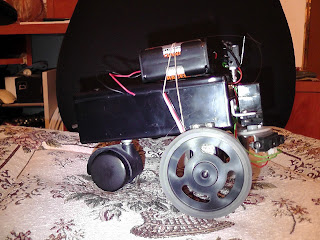
At the picture you can see my bot improved. All wires hided inside the box. Scan algorithm was improved as well. Now I can release him for long autonomous traveling inside my house.


For servo coding I used my USB scope DSO-2090. All pulses was measured perfect.

This pulse controls the servo position. 1 ms - the servo edge position.

Sunday, November 13, 2011
Mega168 bot
I built this bot from mega168, a few servos and proximity sensor. It looks around and founds a way to avoid obstacles. The program is written by me. Every day the software getting better. The servo control code is not so complicated. Here are some pictures.


Subscribe to:
Posts (Atom)